How it works
Swapping, step by step.
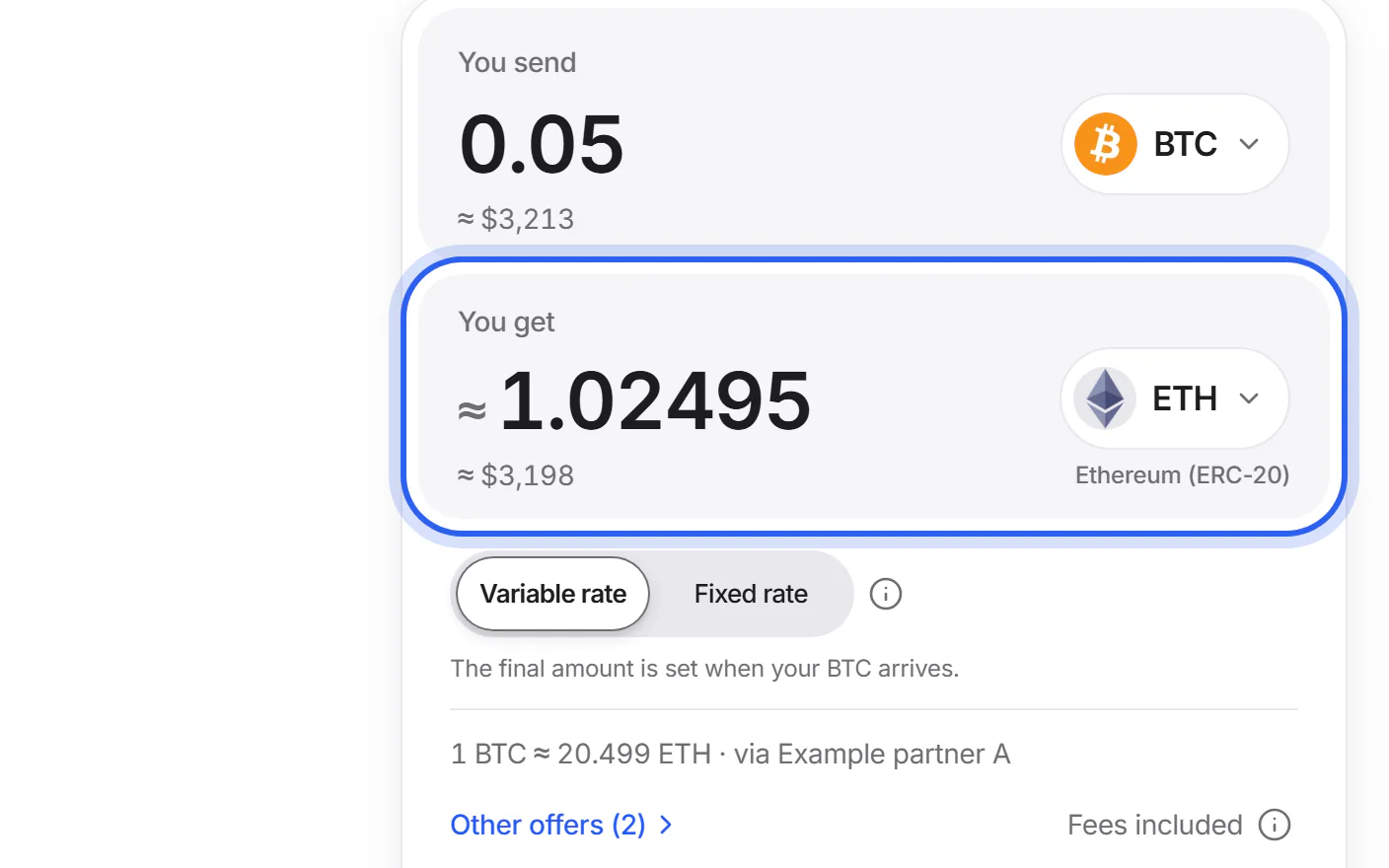
Step 1
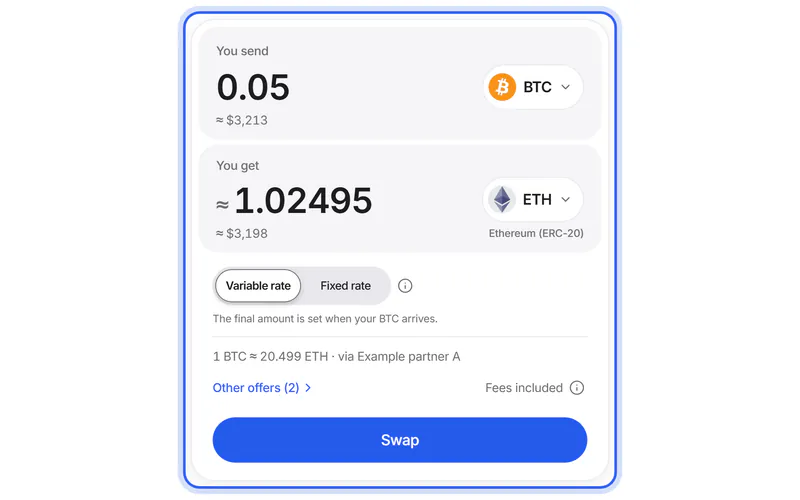
Choose coins
Pick what you send, what you get and the amount. You see right away what you'd get, with every swap fee already taken out.
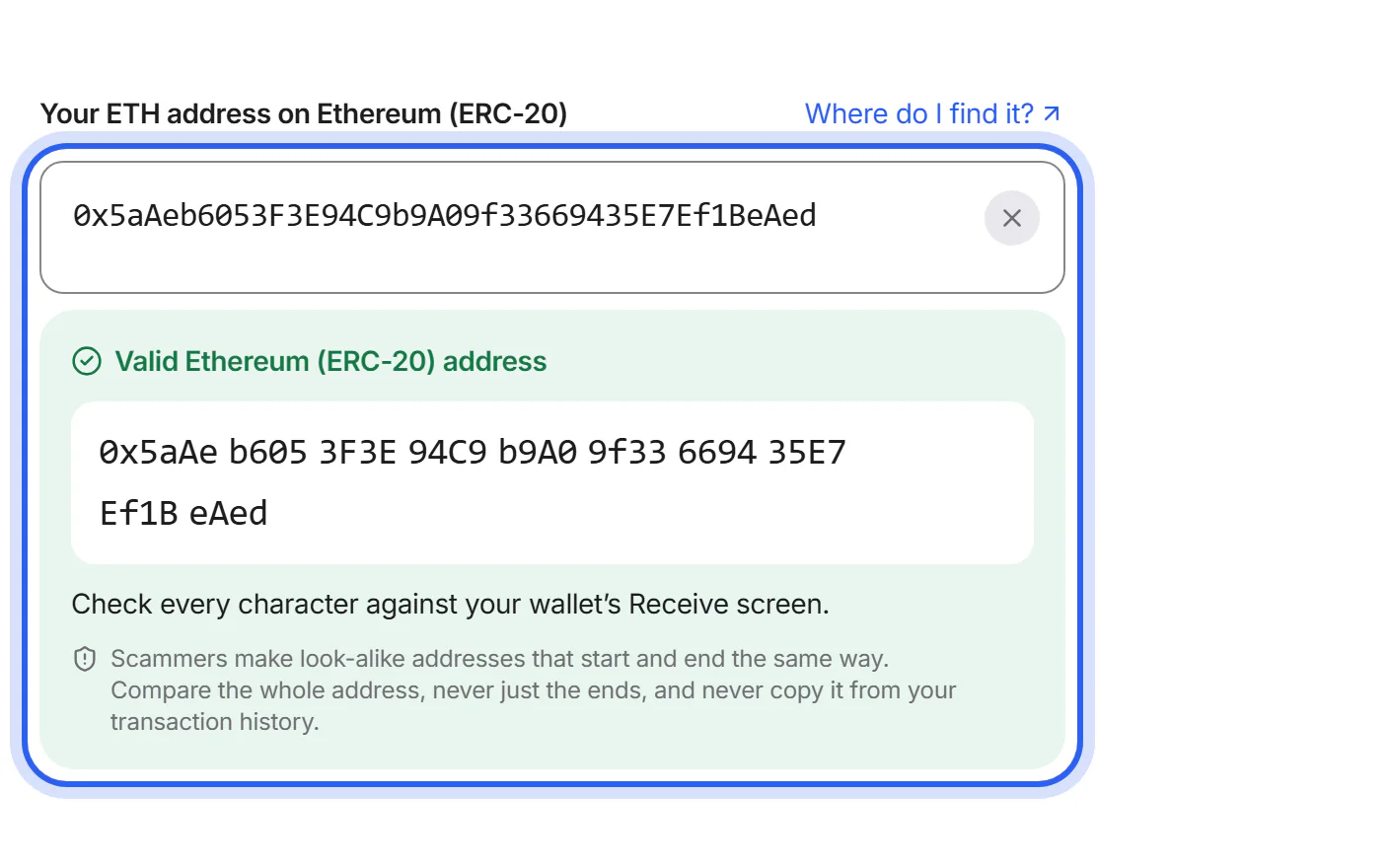
Step 2
Add your wallet
Paste the address that receives your new coins, check your swap and create it. We check the address's format and network first; still compare it with your wallet.
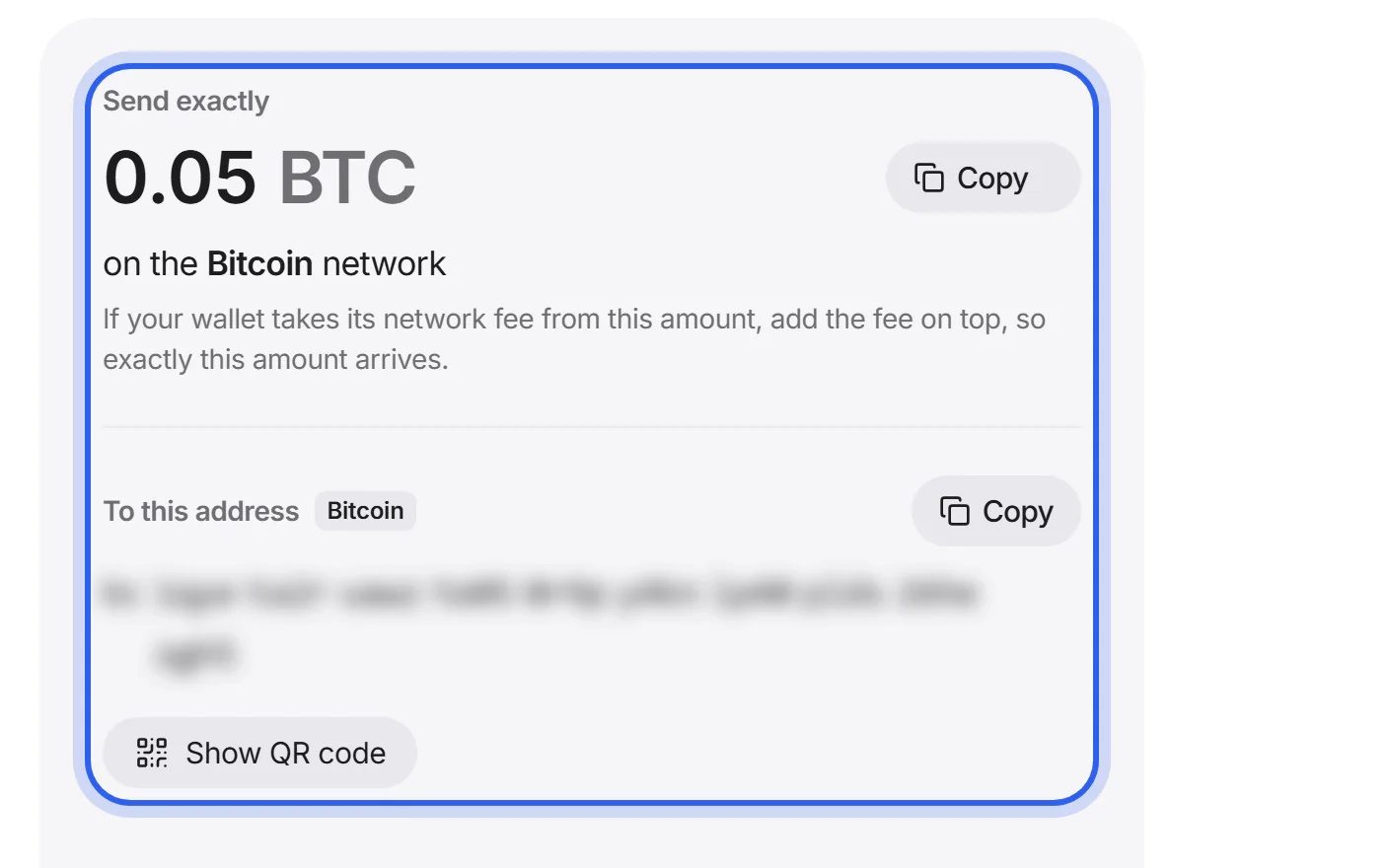
Step 3
Send your coins
Send exactly the amount shown to the address the partner gives you. Use the network shown, and the memo if there is one.
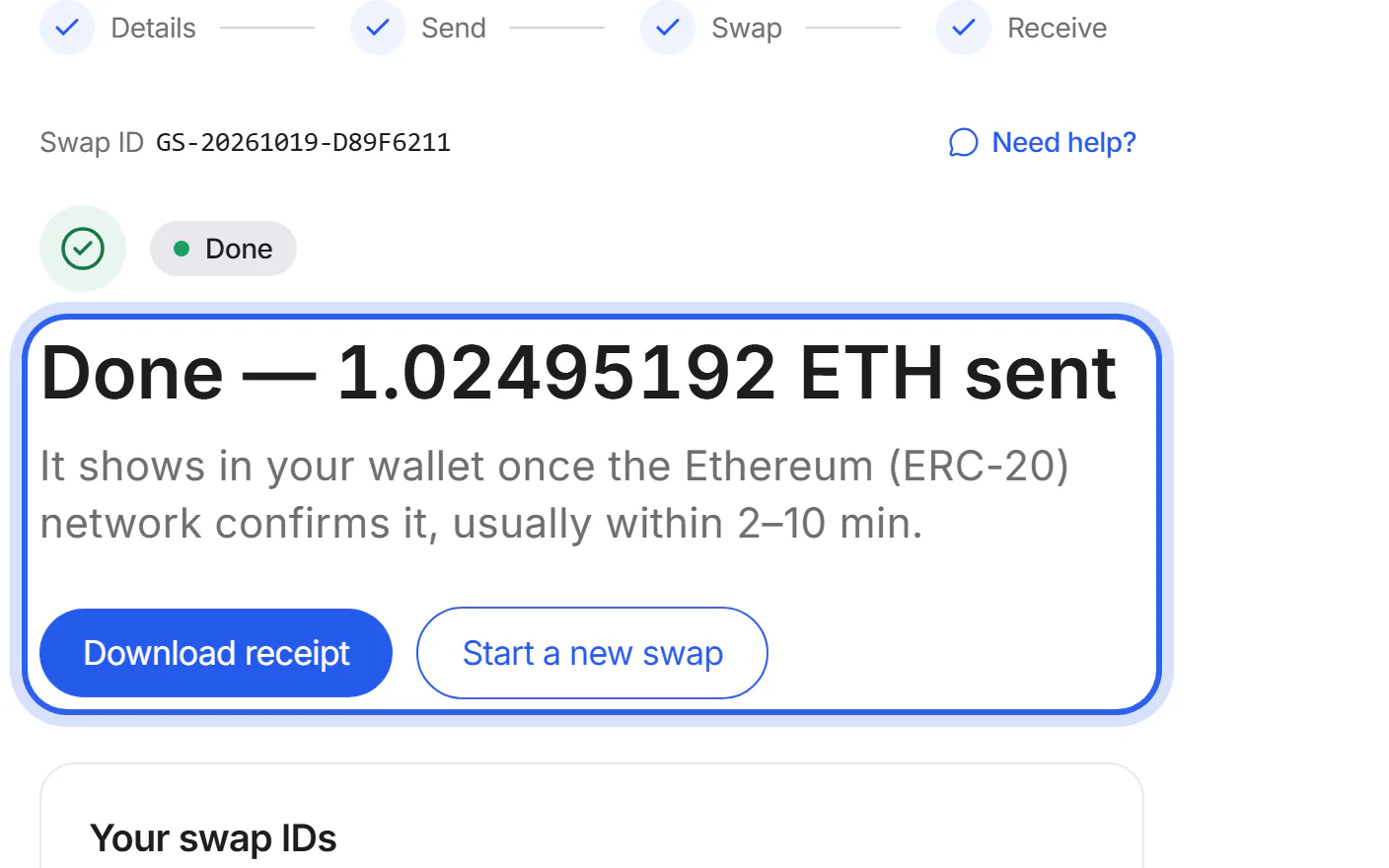
Step 4
Receive
The partner swaps your coins and sends the new ones straight to your wallet.


You see what you get.
The amount under “You get” is what the partner sends to your wallet. All swap fees are already taken out. With a variable rate, it can still move a little until your coins arrive.
How fees workOffer from Exolix, fetched Oct 19, 2026, 10:58 PM UTC
- You send
- 1 ETH
- You get
- about 0.0290523 BTC
- Rate
- 1 ETH ≈ 0.0290523 BTC
- Partner
- Exolix
Already included
- The partner's fee
- Our commission
- The network fee to send you BTC
Not included: your wallet's network fee to send ETH.
Amounts change with the market. The amount in your own offer is the one that counts.
5 partners. One clear choice.
- Exolix
- ChangeNOW
- StealthEX
- Trocador
- SideShift.ai
We ask each of them for an offer. The swap card shows the one that gives you the most coins, and the partner you choose carries out your swap.
About our partnersFollow every step.
Your swap's page shows each step, from your deposit until your new coins are sent, with its time. When the partner reports them, it links to the transactions. It updates by itself, and your tracking link opens it on any device.

Help when you need it.
Step-by-step guides and a way to reach a person.
Make your first swap
VideoFrom choosing two coins to the moment your new coins arrive, step by step.
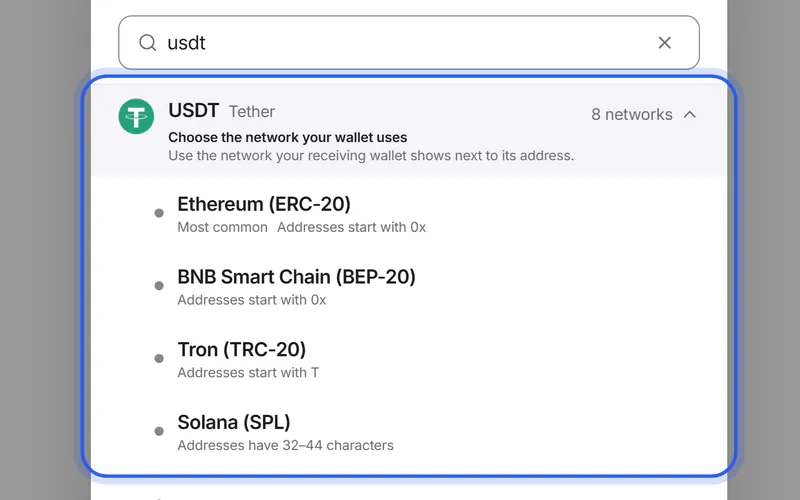
Choose the right network
Many coins exist on more than one network. Your wallet and your swap must use the same one.
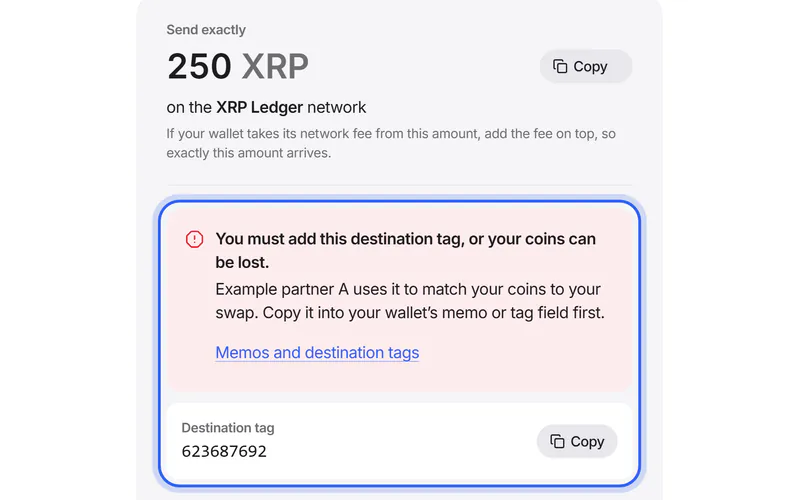
Memos and destination tags
Some networks need an extra number or text with the address. Here's when you need one and where it goes.
Popular pairs
Start with two coins already chosen.


Questions? Answers.
How does a swap work?
Choose the coin you send and the coin you want. We ask our partner exchanges for offers and show you the one that gives you the most coins; you can compare the others.
Then you enter the address of your wallet, create the swap and send your coins to the address the partner gives you. The partner swaps them and sends the new coins straight to your wallet. Your swap's page shows every step until they are sent.
What does it cost?
The cost is built into the rate, so there is no separate bill. The amount under “You get” is what you receive after the partner's fee, our commission and the network fee for sending you the new coins.
Not included: the network fee your own wallet charges when you send. With a variable rate, the amount is an estimate until your coins arrive. To compare costs, compare what you get.
How long does a swap take?
Your swap starts when your deposit is confirmed. That usually takes under a minute on Solana, 1–5 minutes on Tron, 2–10 minutes on Ethereum and 20–60 minutes on Bitcoin, sometimes longer.
Then the partner swaps your coins and sends the new ones, which usually takes a few minutes. Your wallet shows them once the receiving network confirms them too: on Bitcoin, that can take another 20–60 minutes.
Do I need an account or verification?
You don't need an account with GlobalSwap. You only enter the address that receives your new coins and, if you like, a refund address.
The partner that carries out your swap may pause it and ask for identity verification, for example if its checks flag a transaction. Some partners ask everyone who lives in certain countries, including EU countries. Each partner's policy is linked on the Partners page.
What if I sent the wrong amount or used the wrong network?
A different amount: don't send the difference. Your swap's page shows what arrived and what happens next. The partner's terms decide: it usually swaps what arrived at the current rate or offers a refund.
The wrong network: don't send more. Send us a support request with your swap ID, the transaction ID and the network you used. Some of these deposits can be recovered, but not all, and recovery can cost a fee.
Is my money safe with GlobalSwap?
GlobalSwap never holds your coins. While your swap runs, your coins are with the partner you chose, which sends the new coins straight to your wallet. A partner can pause a swap for a check; each partner's terms are on the Partners page.
What you control matters most: check the address, the network and any memo before you create a swap. Keep your seed phrase to yourself: nobody from GlobalSwap will ask for it.