How a swap works.
Five short steps on three screens. Every screen tells you what happens next.
Step by step
Step 1 of 5Swap card
Choose your coins and the amount
Pick the coin you send and the coin you get, each on the network your wallet uses, and type the amount. The card shows an estimate of what you get, with every swap fee already taken out.
What can go wrong
Choosing a network your wallet doesn't use. Check it in your wallet first.
Read the guide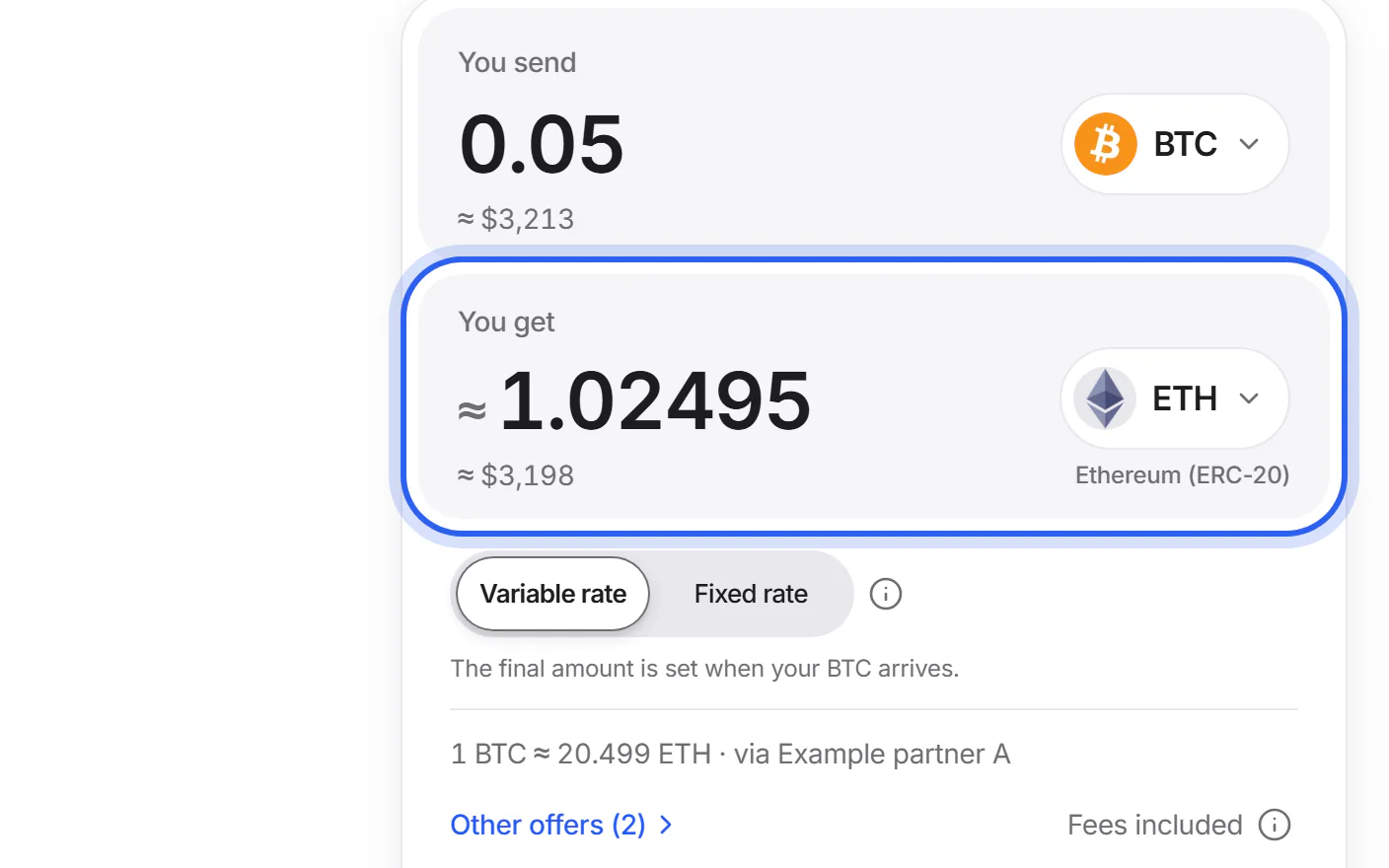
Step 2 of 5Swap card
See your offer, or compare
The card uses the offer that gives you the most coins. Choose a variable or a fixed rate. “Other offers” shows every partner's offer, sorted by what you get.
What can go wrong
A fixed rate's time limit can be too short if your wallet or exchange is slow to send.
Read the guide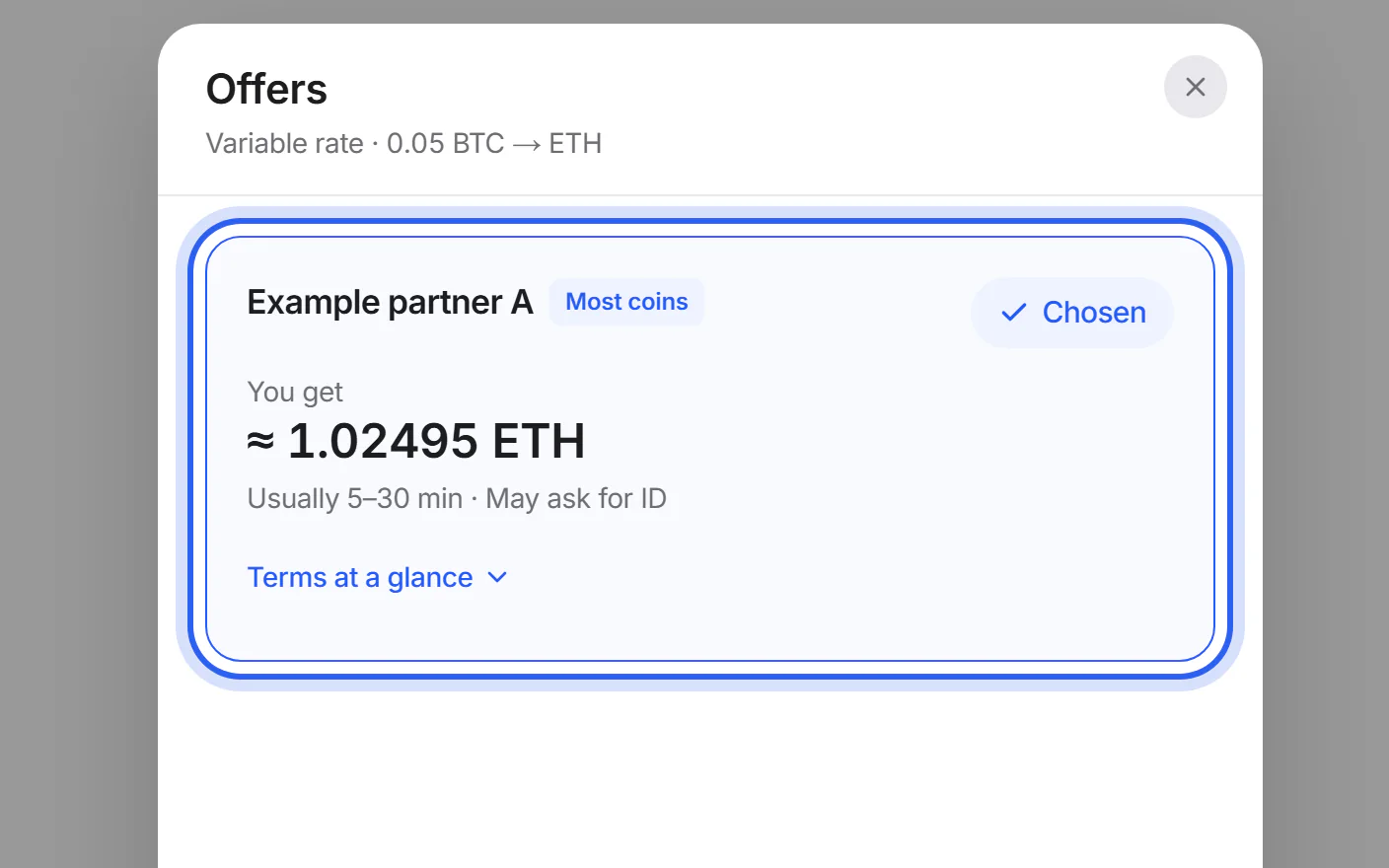
Step 3 of 5Swap details
Add your wallet address
Paste the address that receives your new coins. We check its format and network and show it in groups for checking. Add a memo if your exchange gives you one, and a refund address of your own.
What can go wrong
Leaving out the memo when the address belongs to an exchange account. The exchange then can't credit your coins.
Read the guide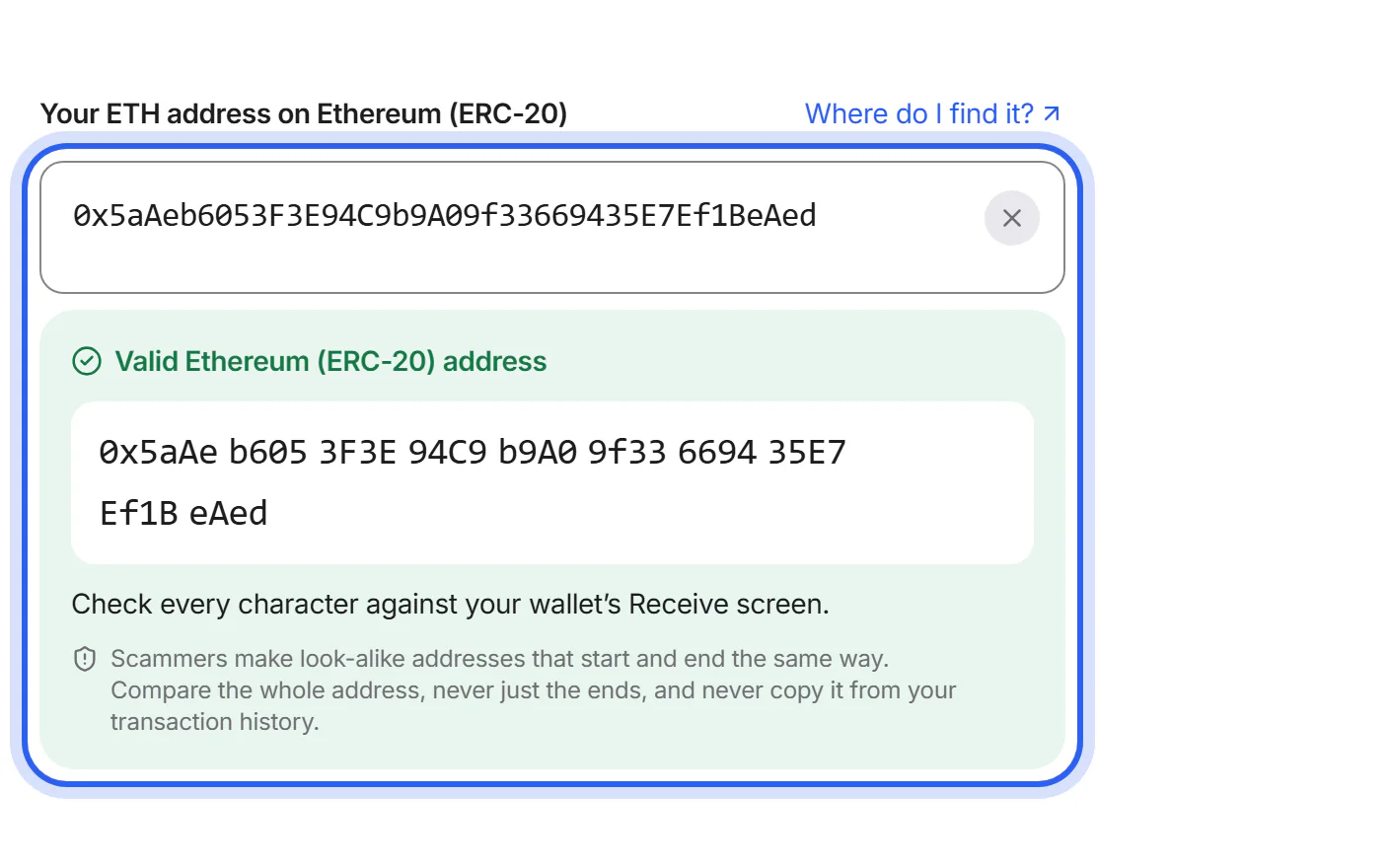
Step 4 of 5Swap details
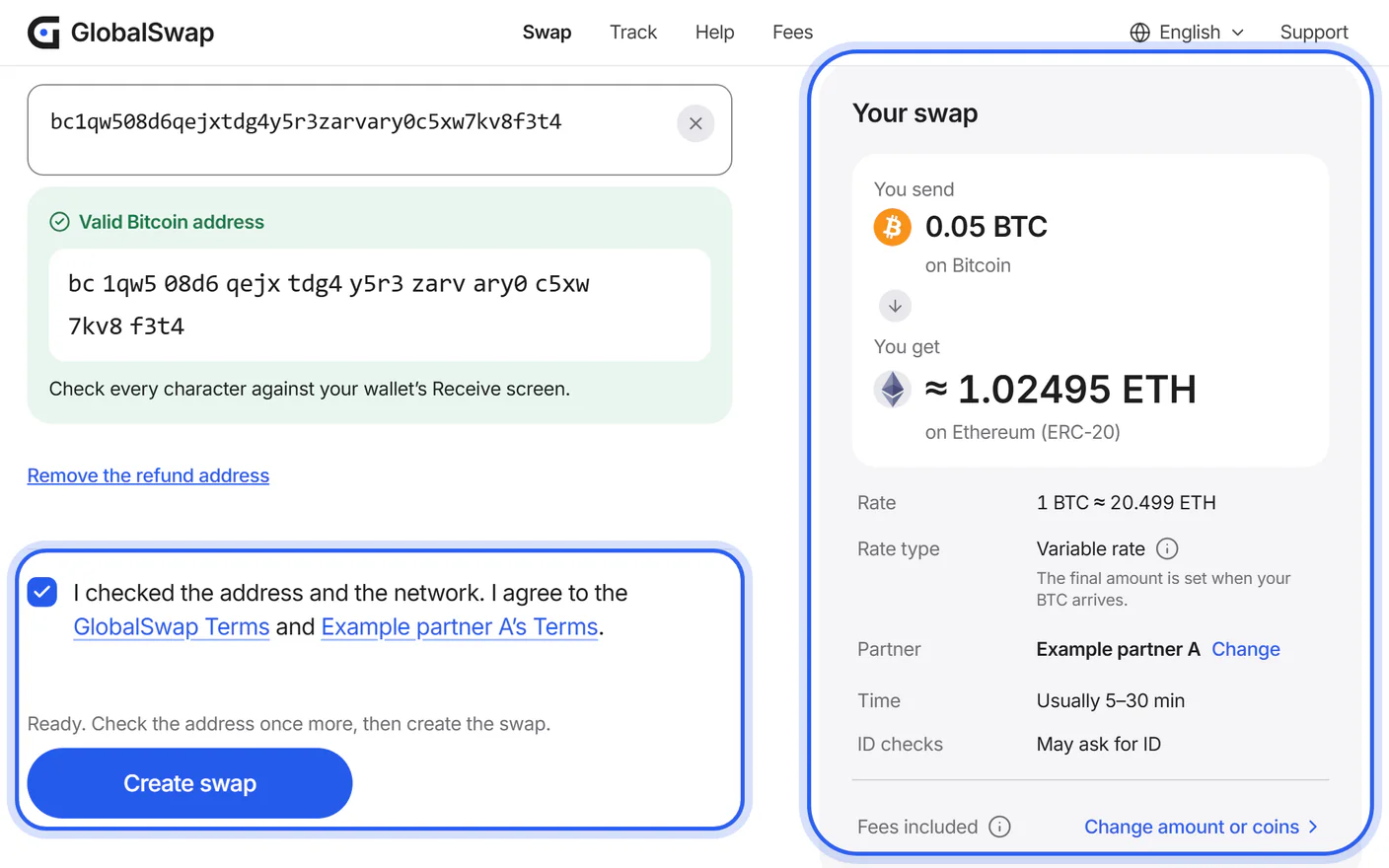
Check and create your swap
The same page sums up your swap: amounts, partner, address and fees. Nothing is sent yet. Tick the box and tap “Create swap”.
Step 5 of 5Your swap's page
Send your coins and follow your swap
Send exactly the amount shown to the address the partner gives you. Use the network shown, and add the memo if there is one. The page then follows your swap until the new coins are sent.
What can go wrong
Sending on another network or without the memo. Such coins can be hard or impossible to recover.
Read the guide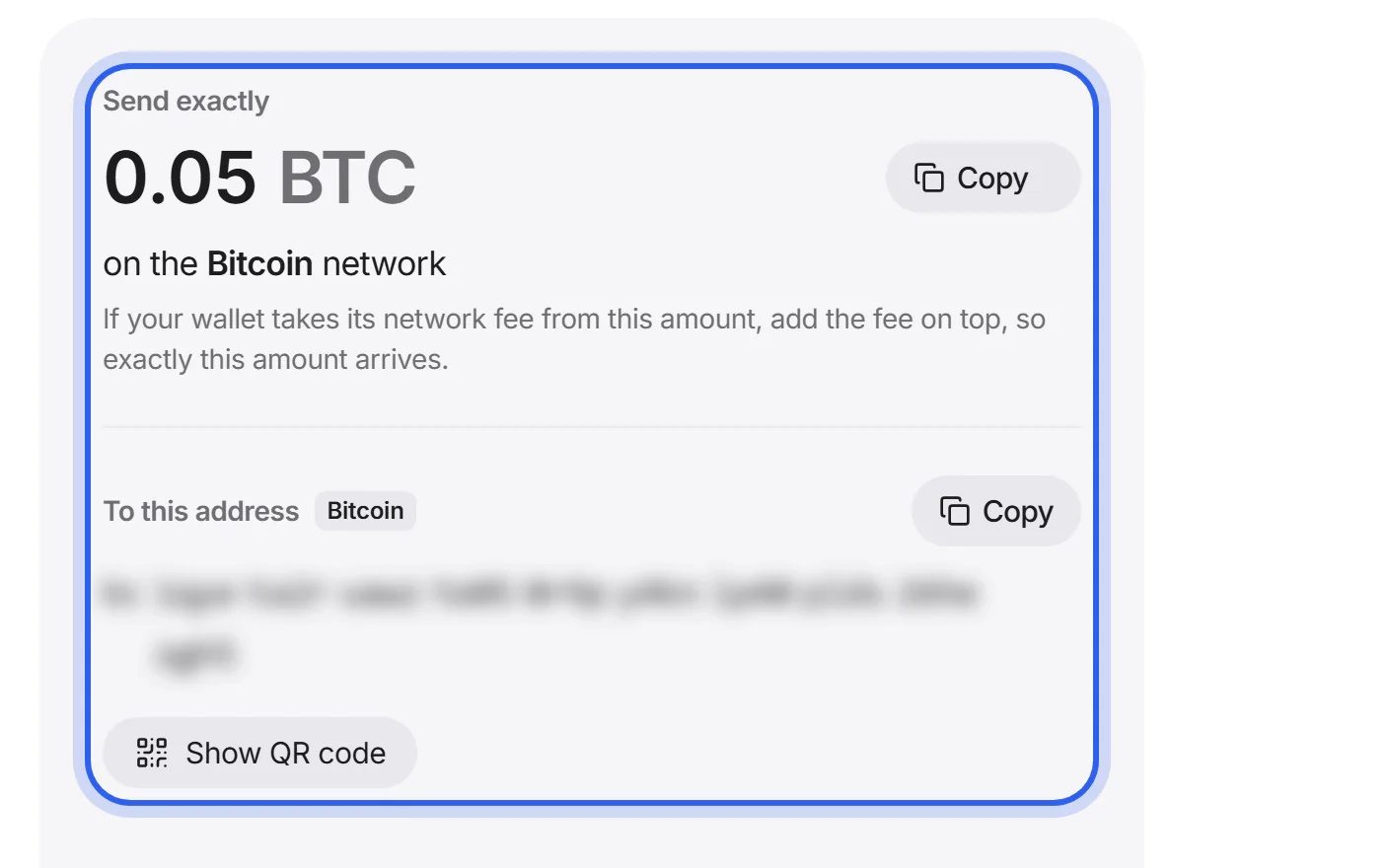


Who does what
You
Choose the coins, enter your address, and send your coins from your own wallet.
GlobalSwap
Compares the offers, checks your address, creates the swap with the partner, shows its progress and helps if something goes wrong. We never hold your coins.
The partner
Receives your coins, swaps them and sends the new coins to your wallet. It may pause a swap for a check under its anti-money-laundering policy.
What you need
- A wallet or exchange account for the coin you want, and its receiving address on the right network.
- The memo or tag, if your exchange shows one with the address.
- Recommended: an address of your own for the coin you send, in case of a refund.
- The coins you want to send, plus a little extra for your wallet's network fee.
No account with GlobalSwap.
How long it takes
On slow networks such as Bitcoin, most of the time is spent waiting for the network to confirm your deposit. After that, the partner swaps and sends your coins, which usually takes a few minutes. Your wallet shows them once the receiving network confirms them too.
| Network | Typical time |
|---|---|
| Avalanche C-Chain | Under 1 min |
| Solana (SPL) | Under 1 min |
| TON | Under 1 min |
| Polygon (PoS) | 1–5 min |
| Tron (TRC-20) | 1–5 min |
| Ethereum (ERC-20) | 2–10 min |
| Ethereum Classic | 15–30 min |
| Bitcoin | 20–60 min |
If a step takes twice its usual time, your swap's page says so and shows what you can do.