Choose the right network
Many coins exist on more than one network. Your wallet and your swap must use the same one.
4 stepsReading time: about 3 minutes
Step by step
Step 1 See which network your wallet uses
Open your wallet or exchange account and choose Receive for the coin. Most apps name the network on this screen, near the address or at the top. Names differ between apps: TRC20, TRC-20 and Tron are the same network.
Simplified drawing. Your wallet or exchange looks different. Step 2 Pick the same network in the coin list
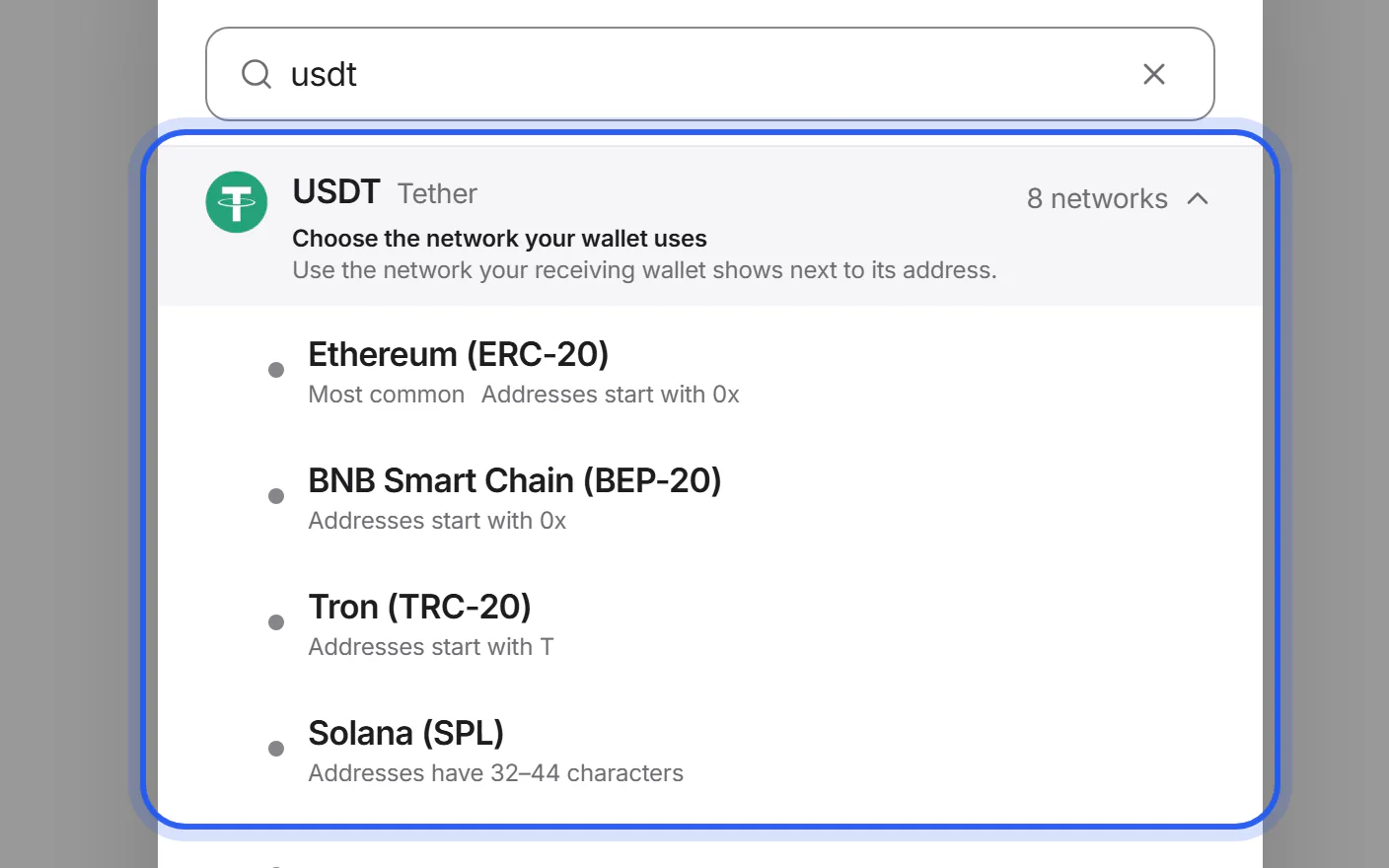
Tap the coin button under “You get” (or “You send”) and search for the coin. If it exists on several networks, a list opens: “Choose the network your wallet uses”. Pick the one your wallet showed.
Step 3 Check the label of the address field
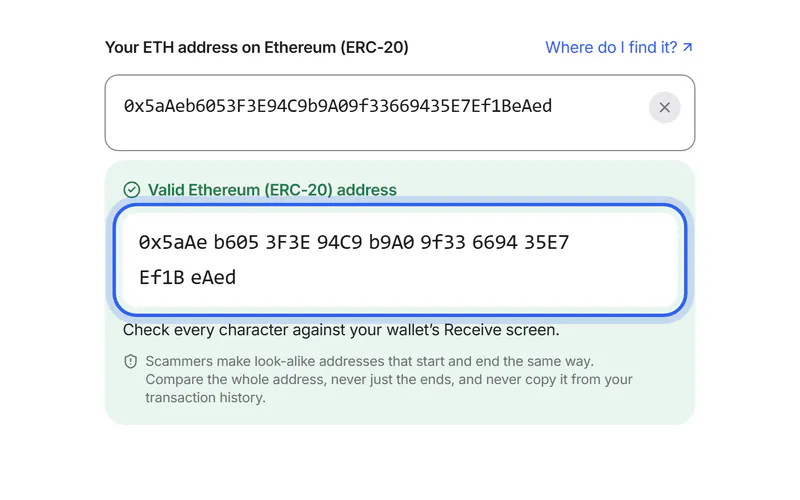
On the Swap details page, the field says which coin and network it expects, for example “Your USDT address on Tron (TRC-20)”. It must match what your wallet shows.
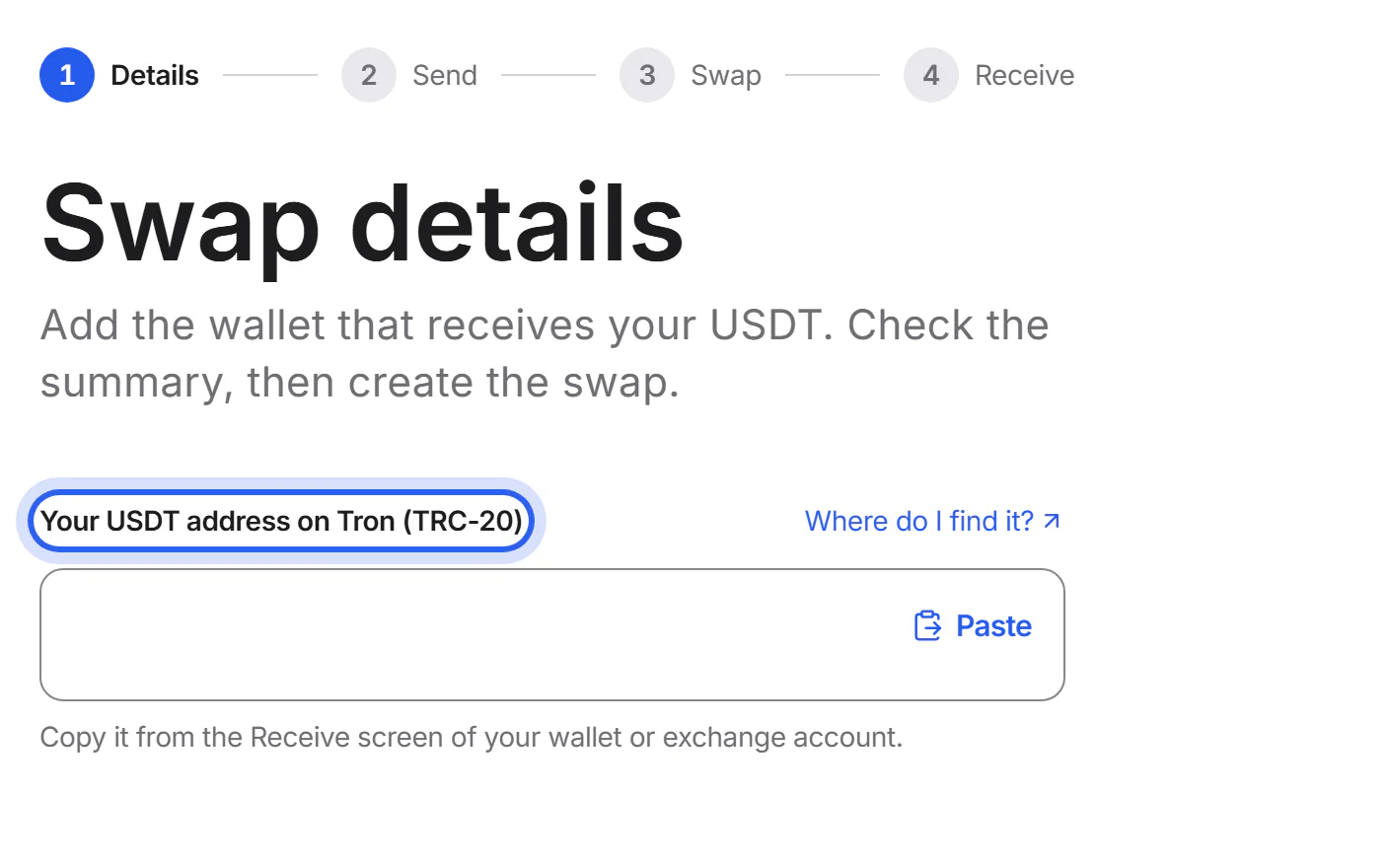
Step 4 Fix a wrong-network warning
If your address belongs to another network, we say which one and offer to switch. Switch only if that is the network your wallet really uses.
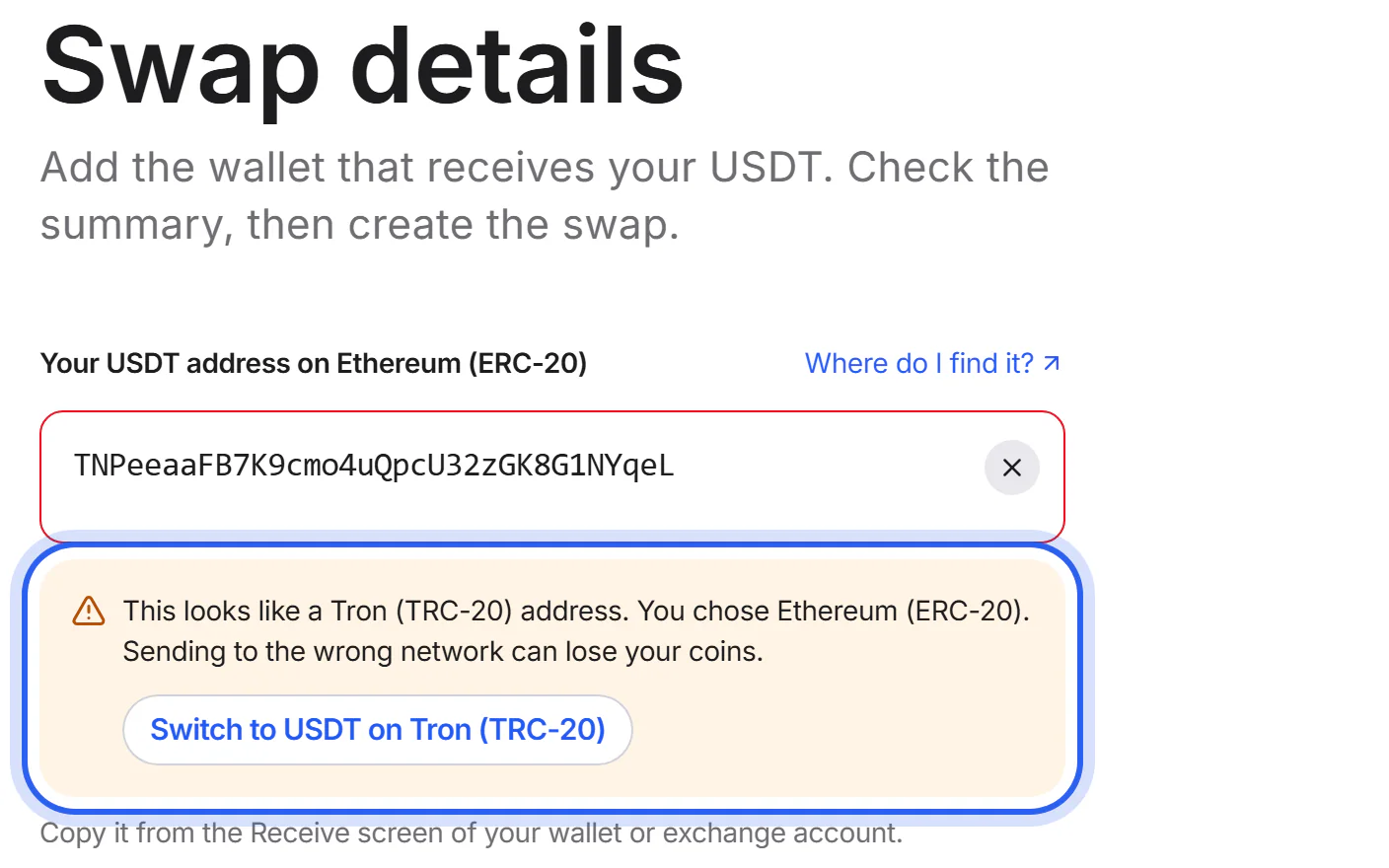


What the first characters tell you
An address's first characters hint at its network. Several networks share a start, such as 0x, so only your wallet can tell you the network for sure.
| Starts with | Networks |
|---|---|
0x | Ethereum (ERC-20)BNB Smart Chain (BEP-20)Polygon (PoS)Arbitrum OneOP Mainnet (Optimism)BaseAvalanche C-ChainzkSync EraLineaSuiAptosEthereum ClassicSonicMantleBerachainHyperEVMSeiMonadopBNBCeloKaiaCronos EVMRoninScrollBlastTaikoManta PacificMetisMorphMegaETHRobinhood ChainX LayerPlasmaArcFlareChiliz ChainVeChain (VeChainThor)ThetaXDC NetworkRootstockCoreMerlin ChainZetaChainKava EVMPulseChainSyscoin NEVMEthereumPoWBitTorrent Chain (BTTC)WEMIXVictionVanaGUNZLumiaWhitechainBitgertStarknetIOTAMovementFlowIoTeX |
3 | BitcoinLitecoinConcordiumFractal BitcoinFiro (transparent) |
D | DogecoinKusama Asset HubDigiBytePIVX (transparent)Verge |
1 | BitcoinPolkadotFractal BitcoinBitcoin SV |
4 | MoneroConcordiumFiro (transparent) |
G | StellarKusama Asset HubLiquid Network |
H | Kusama Asset HubLiquid NetworkHathor |
2 | ConcordiumPolymesh |
5 | BittensorAleph Zero |
8 | MoneroElastos (main chain) |
a | AstarFiro (transparent) |
bc1 | BitcoinFractal Bitcoin |
E | Kusama Asset HubElastos (main chain) |
Q | Liquid NetworkQtum |
r | XRP LedgerRavencoin |
t1 | Zcash (transparent)Flux |
t3 | Zcash (transparent)Flux |
terra1 | Terra 2.0Terra Classic |
X | DashAstar |
Z | AstarFiro (transparent) |
0.0. | Hedera |
01 | Casper |
02 | Casper |
3P | Waves |
6 | PIVX (transparent) |
A | Ontology |
account_rdx1 | Radix |
addr1 | Cardano |
akash1 | Akash |
b | Astar |
B62q | Mina |
band1 | BandChain |
bbn1 | Babylon Genesis |
bitcoincash:q | Bitcoin Cash |
C | Kusama Asset Hub |
celestia1 | Celestia |
ckb1 | Nervos CKB |
cosmos1 | Cosmos Hub |
cro1 | Cronos POS |
DAG | Constellation |
Dc | Decred |
dgb1 | DigiByte |
Ds | Decred |
dydx1 | dYdX Chain |
dym1 | Dymension |
ecash:p | eCash |
ecash:q | eCash |
EQ | TON |
erd1 | MultiversX |
ex1 | Liquid Network |
EXM | PIVX (transparent) |
EXX | Firo (transparent) |
F | Kusama Asset Hub |
f1 | Filecoin |
f2 | Filecoin |
f3 | Filecoin |
f410f | Filecoin |
fetch1 | Fetch.ai |
h | Hathor |
init1 | Initia |
inj1 | Injective |
io1 | IoTeX |
J | Kusama Asset Hub |
kaspa: | Kaspa |
kava1 | Kava |
klv1 | KleverChain |
L | Litecoin |
lnbc | Bitcoin Lightning |
lq1 | Liquid Network |
ltc1 | Litecoin |
M | Litecoin |
N | Neo N3 |
nano_ | Nano |
nibi1 | Nibiru |
oasis1 | Oasis Network |
osmo1 | Osmosis |
p | Bitcoin Cash |
P | Liquid Network |
q | Bitcoin Cash |
qc1 | Qtum |
R | Ravencoin |
S | Syscoin (UTXO) |
SM | Stacks |
SP | Stacks |
sys1 | Syscoin (UTXO) |
T | Tron (TRC-20) |
thor1 | THORChain |
tz1 | Tezos |
tz2 | Tezos |
tz3 | Tezos |
UQ | TON |
V | Astar |
VJL | Liquid Network |
VT | Liquid Network |
W | Astar |
X-avax1 | Avalanche X-Chain |
xch1 | Chia |
xdc | XDC Network |
Y | Astar |
Some networks, for example Solana, have no fixed start.
If something goes wrong
If your wallet's network isn't in the list
We can't offer that network for this coin right now. Choose another network your wallet supports, or use a different wallet.
If you already sent coins on the wrong network
Don't send more. Keep the transaction ID from your wallet and send us a support request with your swap ID. Recovery isn't always possible and can cost a fee under the partner's terms.
What to do nowWas this helpful?
We only count the answer. No cookies, nothing personal.
Last updated October 16, 2026
Pictures show an example partner and example amounts.