Memos and destination tags
Some networks need an extra number or text with the address. Here's when you need one and where it goes.
5 stepsReading time: about 3 minutes
Step by step
Step 1 Check whether you need one
Exchanges often use one address for many customers and tell them apart by a memo. If your exchange shows a memo, tag or comment next to the address, you need it. Personal wallets usually don't.
Simplified drawing. Your wallet or exchange looks different. Step 2 Add it on the Swap details page
For networks that use one, a switch appears under your address, for example “My address needs a destination tag”. Turn it on and copy the tag from your exchange exactly. The field uses the network's own word: “Destination tag” on XRP, “Comment” on TON, “Memo” on most others.
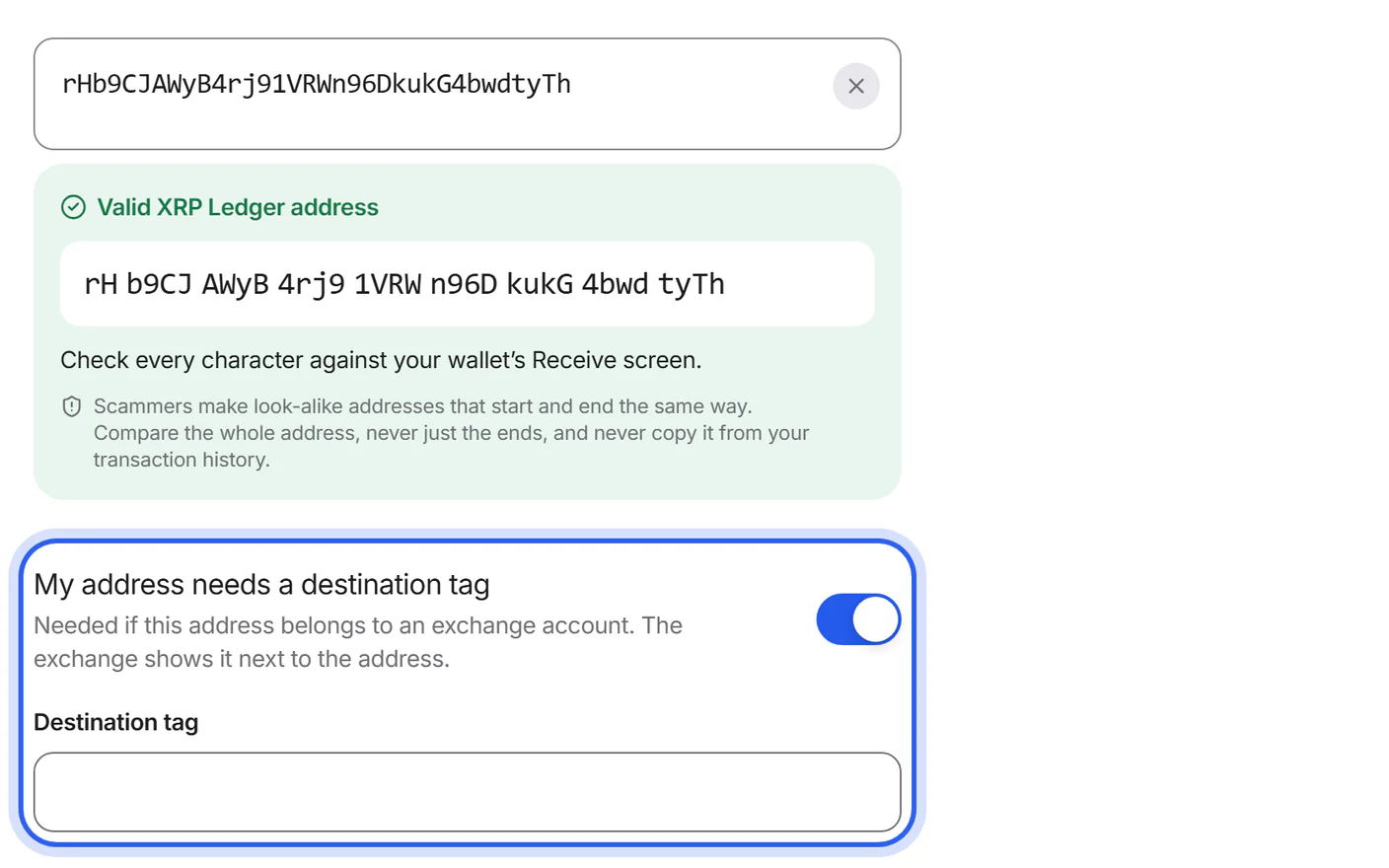
Step 3 Check it before you create the swap
Compare the tag with your exchange once more before you tap “Create swap”. Without the right memo, your exchange can't credit the coins to your account.
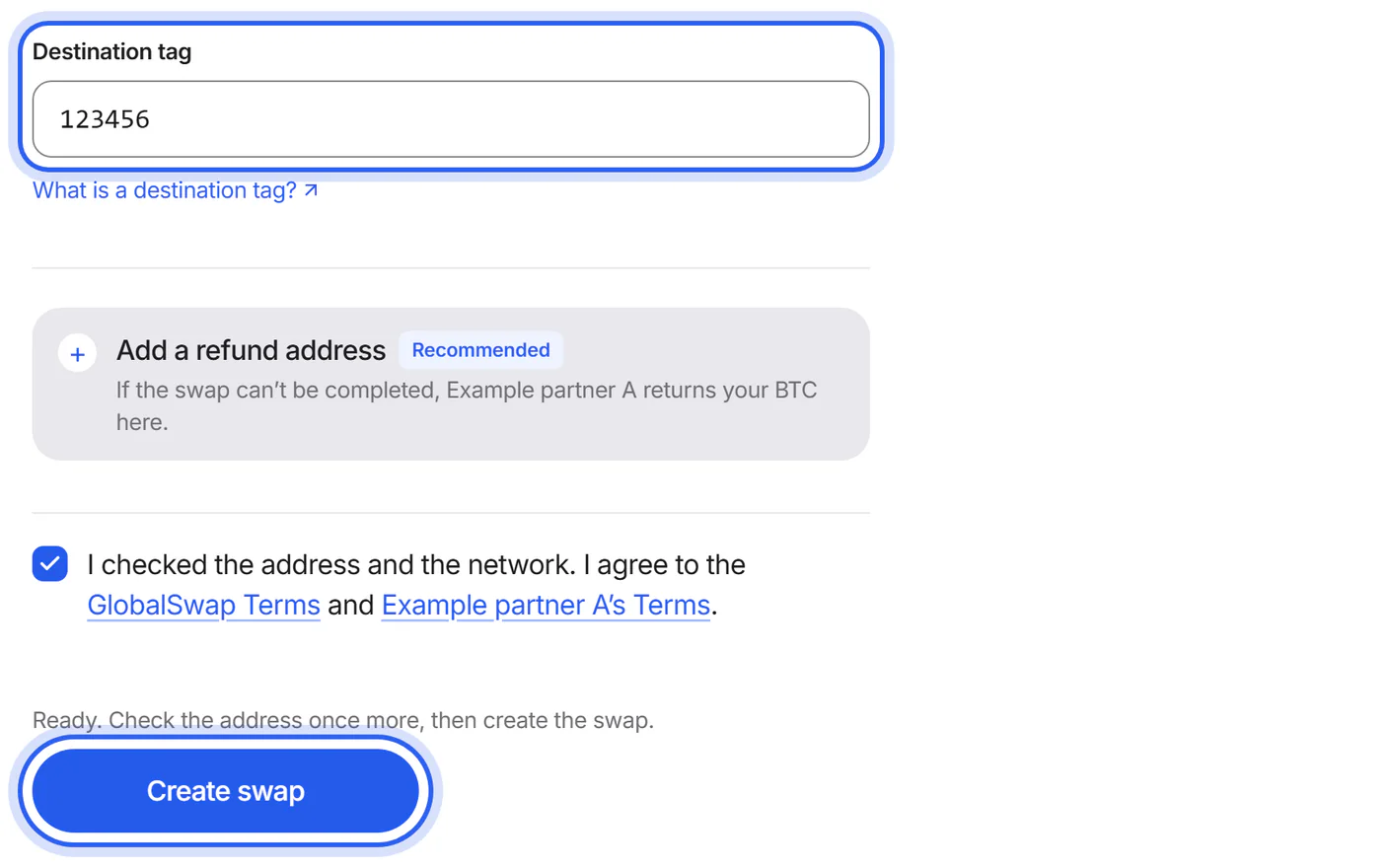
Step 4 When you send, add the memo first
If the address to send to needs a memo, the Send screen shows the memo above the address. It says “You must add this memo, or your coins can be lost”. Copy the memo into your wallet's memo or tag field first, then tap “I'll add the memo” to see the address.
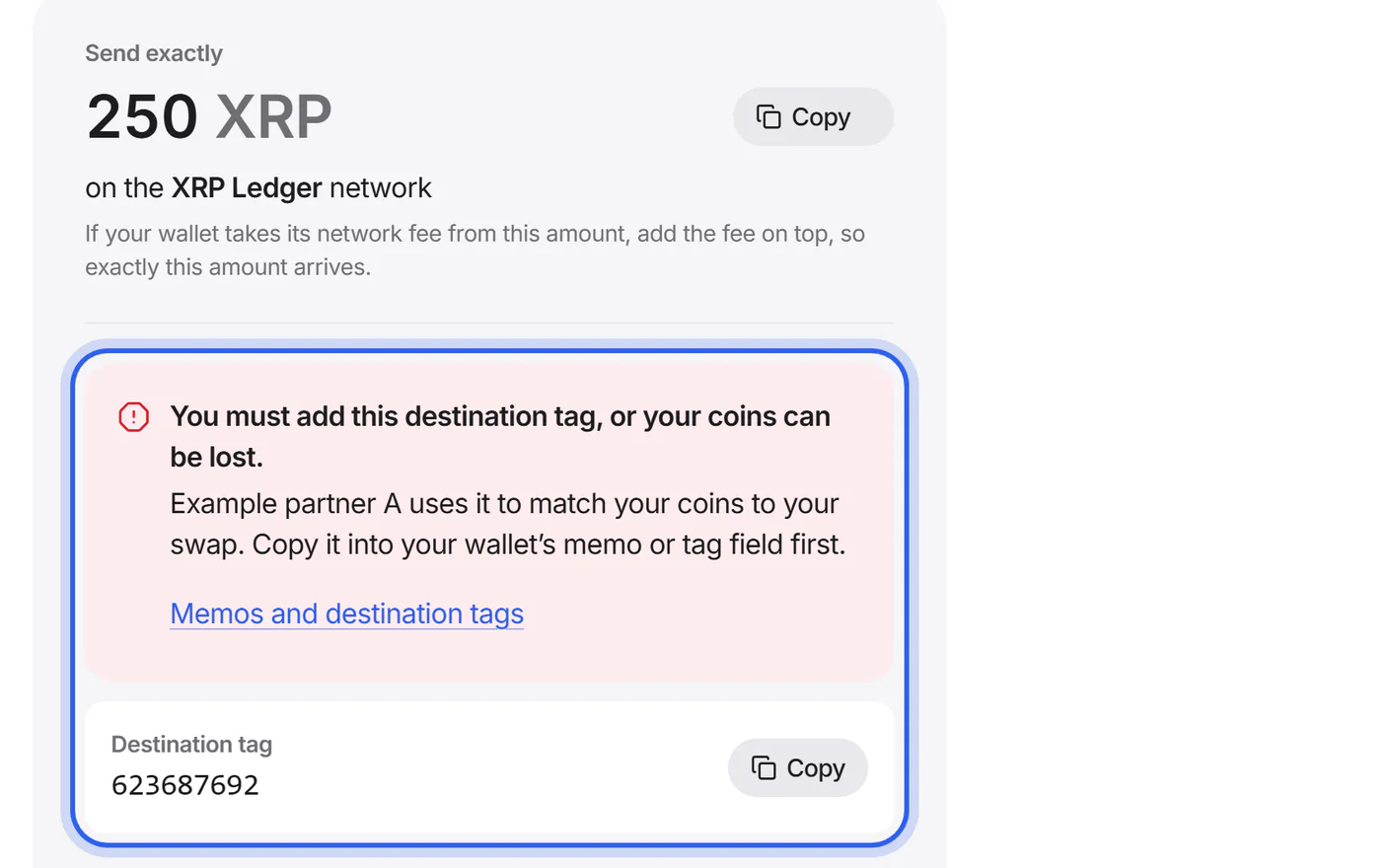
Step 5 Then copy the address and the amount
Copy the address under “To this address” and send exactly the amount shown. Memo, address and amount must all match.
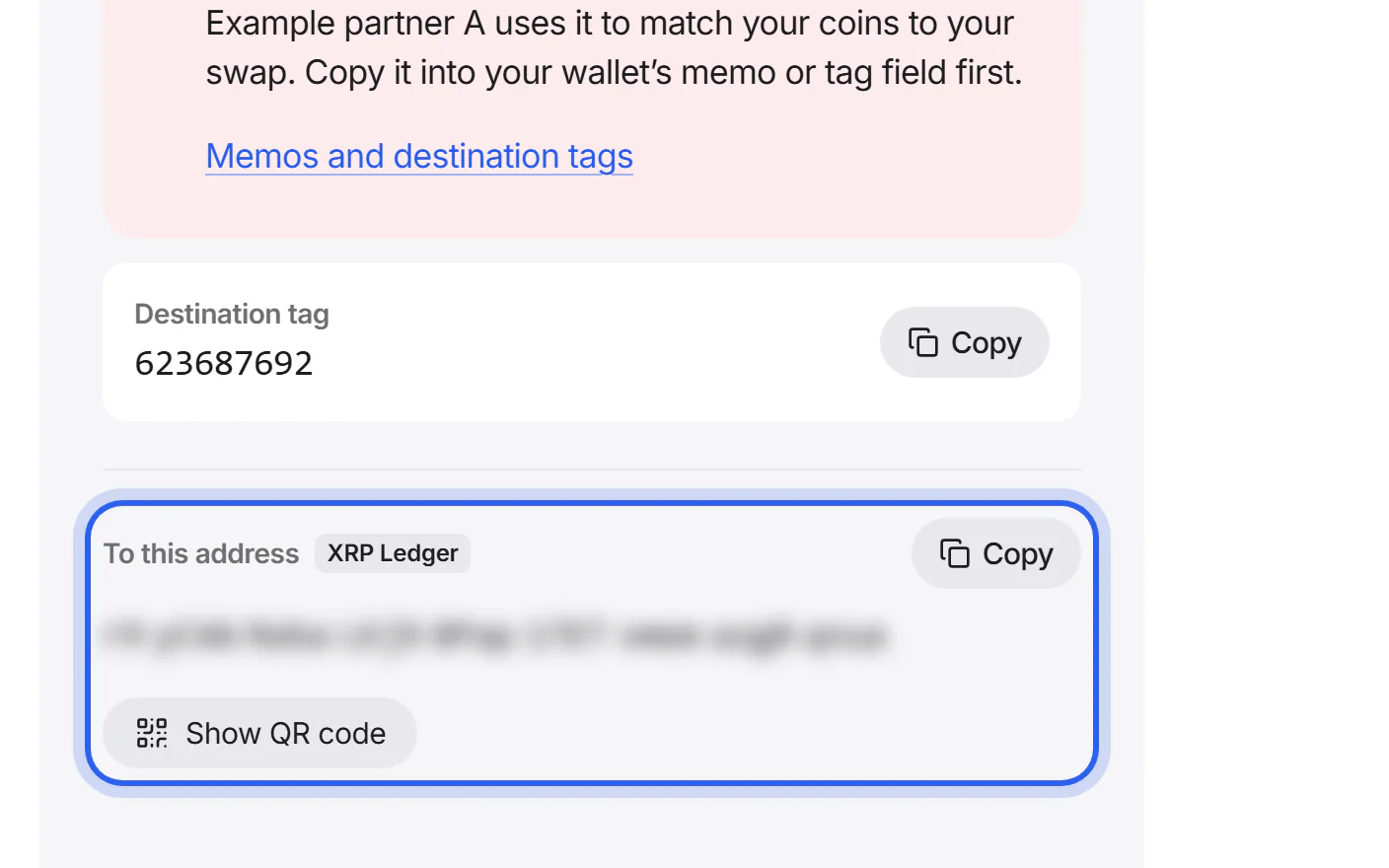


If something goes wrong
If you sent coins without the memo
Don't send again. The partner may be able to find your coins with the transaction ID, but this isn't certain and can take time. Send us a support request with your swap ID and the transaction ID.
What to do nowIf your new coins reached an exchange without the memo
Contact your exchange's support with the transaction ID from your swap's page. Only the exchange can credit coins that arrived without a memo.
If your wallet has no memo field
Don't send from this wallet. Use a wallet or exchange account that lets you add the memo.
Was this helpful?
We only count the answer. No cookies, nothing personal.
Last updated October 16, 2026
Pictures show an example partner and example amounts.