XRP sent without the destination tag — what now?
Where your XRP is now, who can still credit it to your account, and how to avoid this next time.
5 stepsReading time: about 3 minutes
Step by step
Step 1 Find the transaction ID
In the wallet or exchange account you sent from, open the transfer and copy its transaction ID. A block explorer for the XRP Ledger shows the address it went to and whether it had a destination tag.
Step 2 See where your XRP is now
Exchanges keep many customers' XRP at one address and tell them apart by the destination tag. Without it, your XRP is at the exchange, but the exchange doesn't know whose it is. A wallet of your own needs no tag: XRP sent there is yours as usual.
Step 3 Contact the exchange's support
Use the support page of the exchange's own app or website, and give the transaction ID, the amount and the time. If the XRP came from a swap, its transaction ID is on your swap's page. Many exchanges can credit such a deposit by hand, sometimes for a fee, but it isn't certain.
Step 4 Next time: receiving XRP
On the Swap details page, turn on “My address needs a destination tag” and copy the tag from your exchange exactly. Check it once more before you tap “Create swap”.
Simplified drawing. Your wallet or exchange looks different. Step 5 Next time: sending XRP
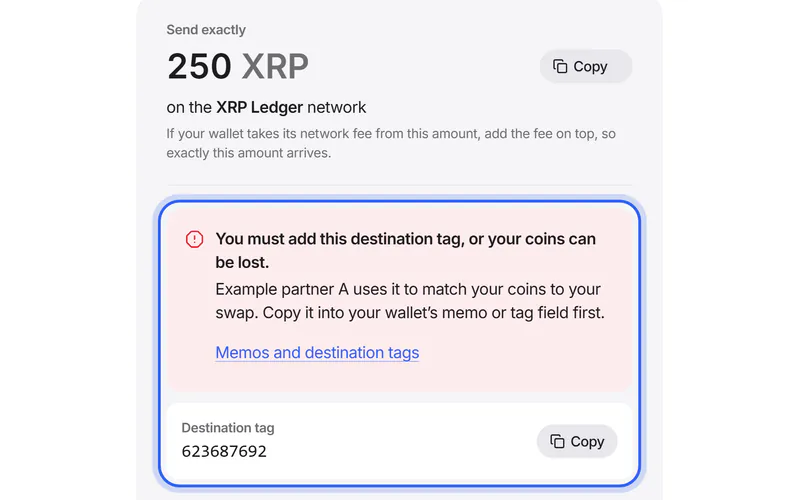
If the address to send to needs a tag, the Send screen shows it above the address. It says “You must add this destination tag, or your coins can be lost”. Add it in your wallet first, then tap “I'll add the destination tag”.
If something goes wrong
If your wallet says the transfer failed
Some exchange addresses refuse XRP without a destination tag. Then the XRP never left your wallet; only the small network fee is gone. Send again with the tag.
If you sent the XRP to start a swap
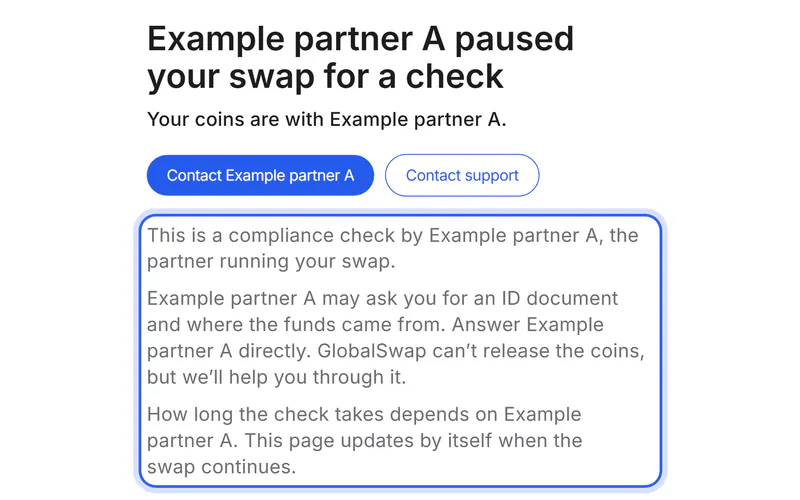
The partner received it at the address to send to. Tap “Contact support” on your swap's page and add the transaction ID. The partner may be able to match your coins, but this isn't certain.
Send a support requestIf you entered the wrong number
The exchange may have credited another customer's account, or none. Contact its support at once with the transaction ID; only the exchange can check this.
Was this helpful?
We only count the answer. No cookies, nothing personal.
Last updated October 19, 2026