If something goes wrong
What happened, where your coins are and what to do next, for every situation a swap can end up in.
4 stepsReading time: about 5 minutes
Step by step
Step 1 Read the message on your swap's page
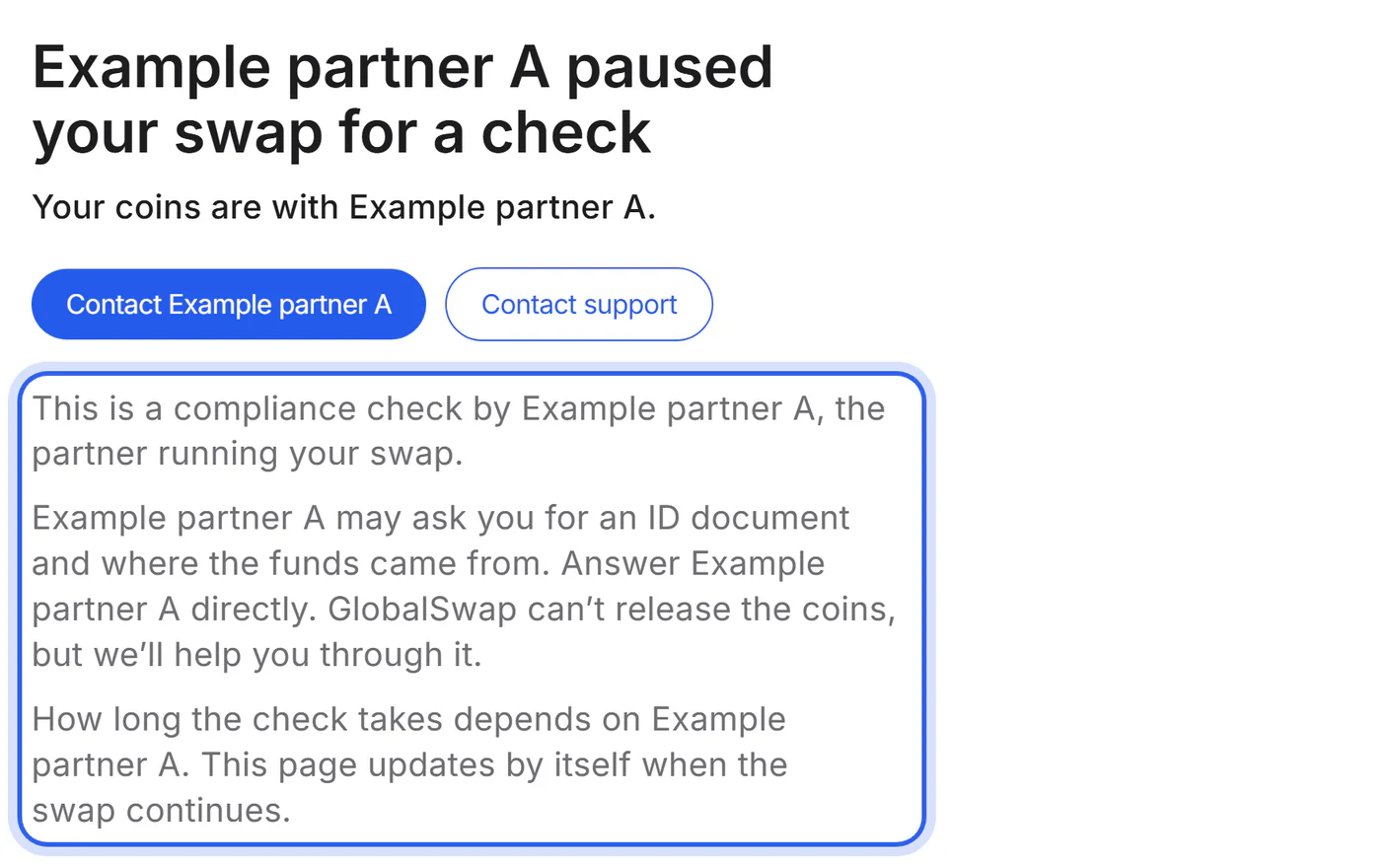
Each situation has its own message: what happened, where your coins are and who acts next.
Step 2 Use the button on the page
The page offers one next step, for example opening the partner's verification page or starting a new swap.
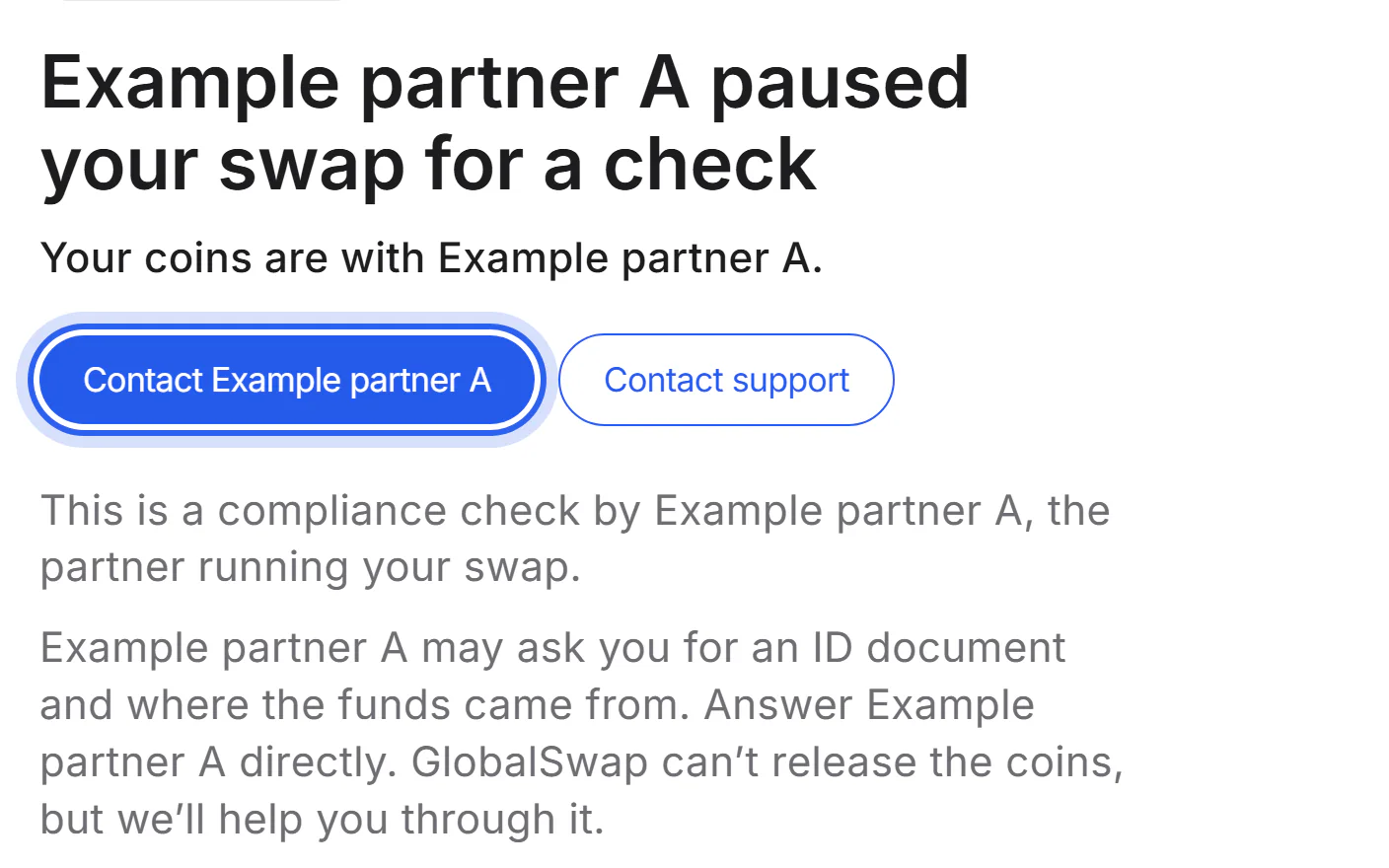
Step 3 Keep your IDs ready
Your swap ID (it starts with GS-) and the partner's swap ID are at the top of your swap's page. The transaction ID of your deposit is in your wallet.
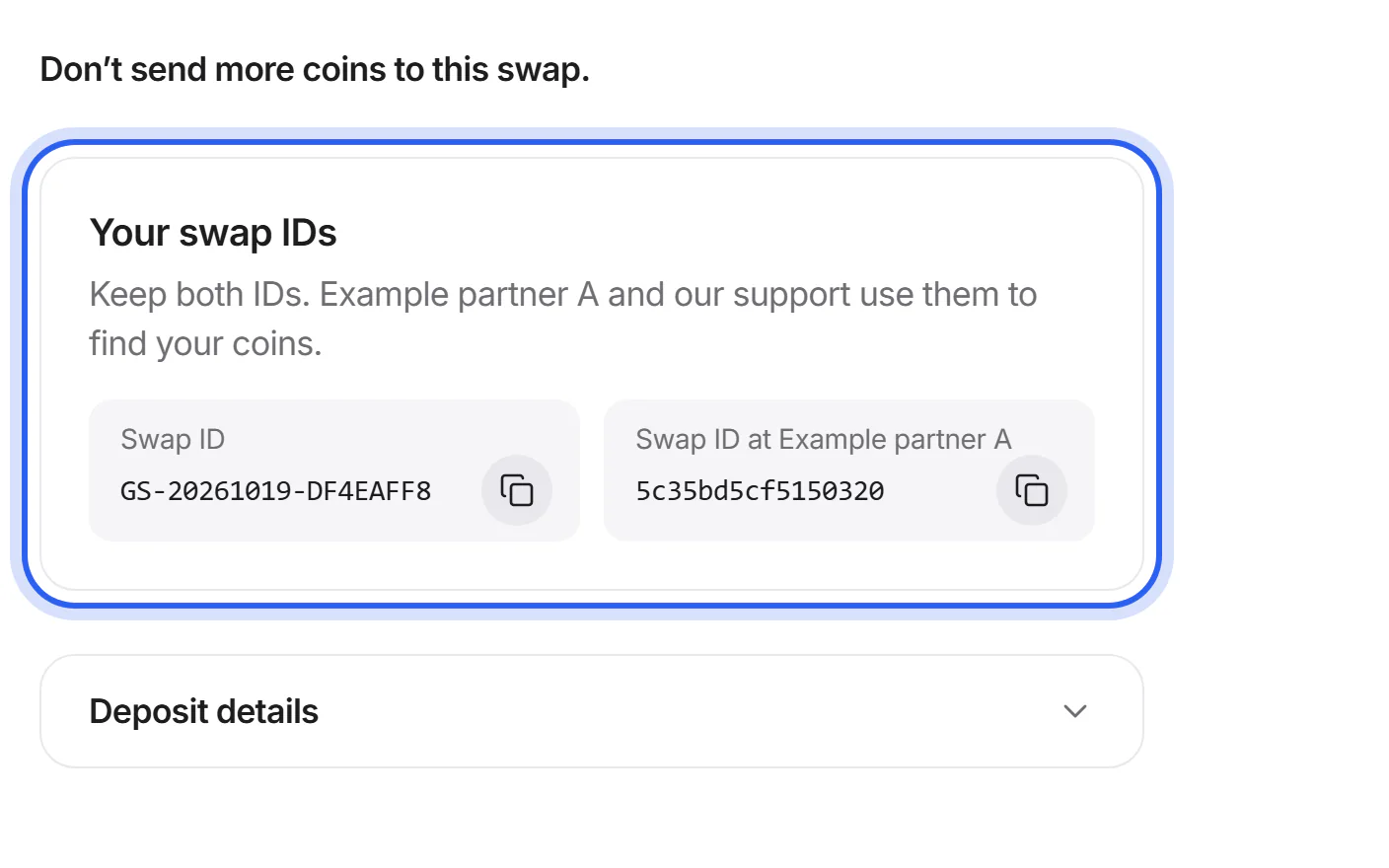
Step 4 Ask us if you're unsure
Tap “Contact support” on your swap's page: your swap ID is filled in for you.
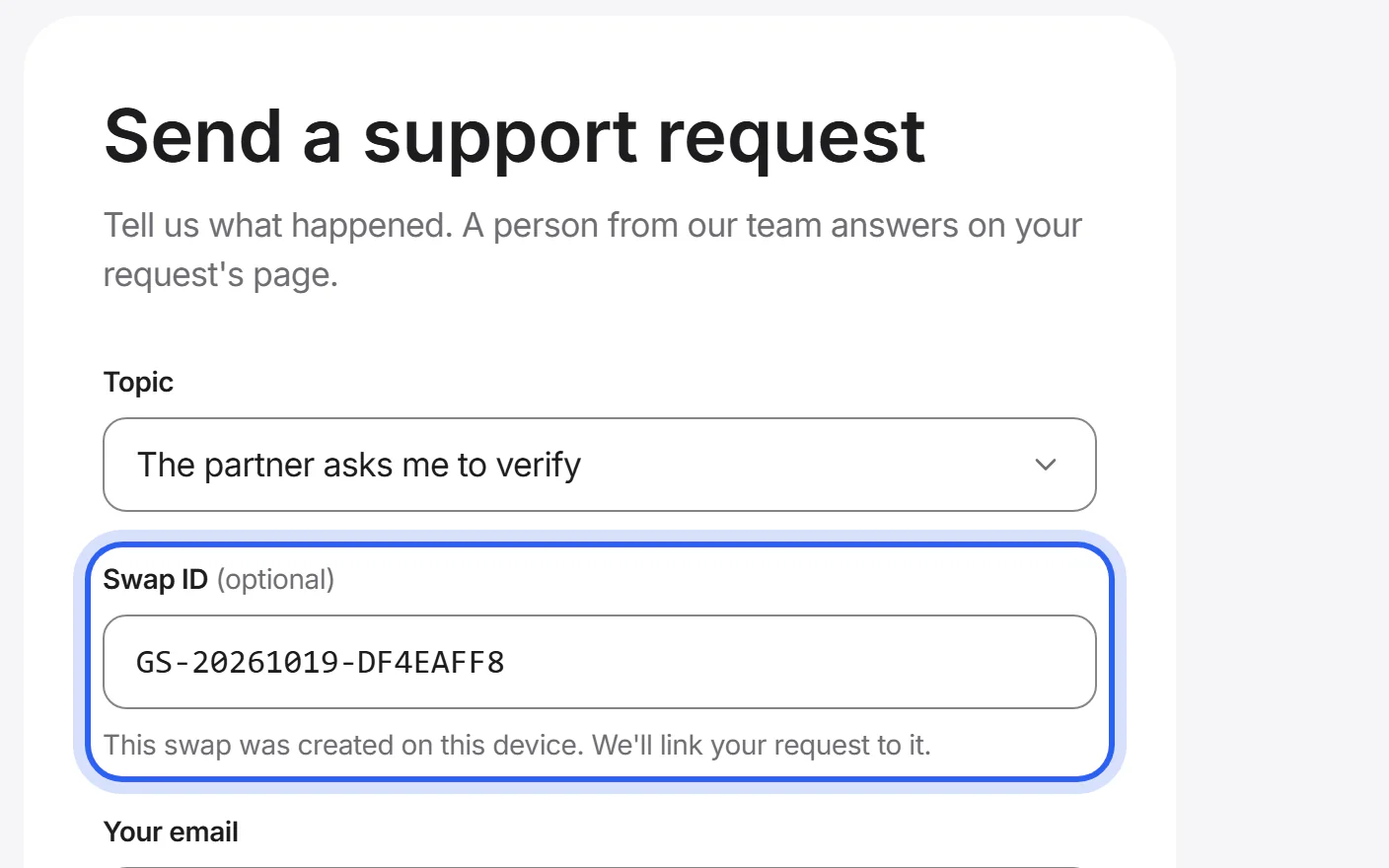


If something goes wrong
If your swap is taking longer than usual
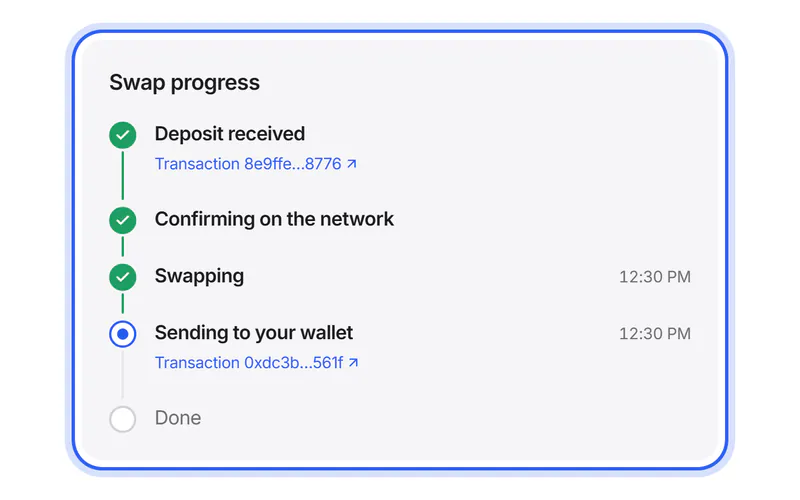
Most delays come from the network. Open the transaction link on your swap's page, or the transaction in your wallet; a block explorer shows whether your deposit is confirmed. If it is, and your swap's page says “Taking longer than usual”, send us a support request with your swap ID and the transaction ID.
Send a support requestIf a partner paused your swap
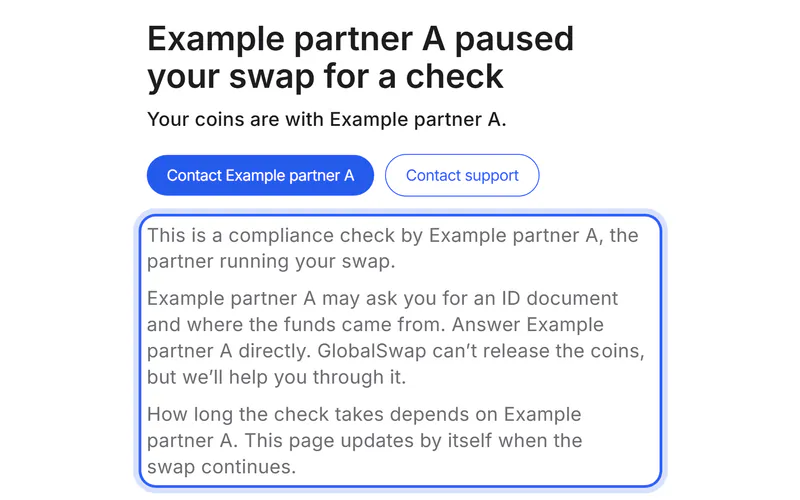
The partner running your swap paused it for a check under its anti-money-laundering policy. Your coins are with the partner, and only the partner can release them. Use the button on your swap's page to open the partner's verification page.
What to do step by stepIf you sent a different amount or sent late
Your swap's page shows what arrived and what the swap expected. The partner's terms decide what happens: it usually swaps your coins at the current rate or offers a refund.
What to do step by stepIf the deposit window has closed
The time the partner gave you to send has passed. Don't send coins to this swap any more. If you haven't sent anything, nothing happens: start a new swap when you're ready. If you already sent coins, contact the partner with its swap ID and the transaction ID.
If your swap couldn't be completed
The partner stopped the swap. Your coins weren't swapped and are still with the partner. The page shows the reason when the partner gives one. To get them back, use the button on your swap's page, or ask us for help.
Get a refundIf you need a refund
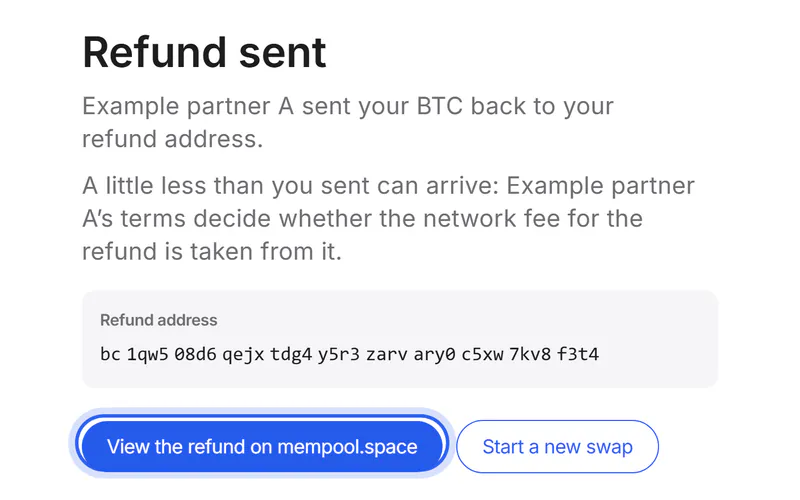
Refunds come from the partner, under its own terms: usually to the refund address you entered or, without one, to the address you sent from. A refund can cost fees, for example the network fee for sending it back. Once it is sent, your swap's page shows the refund transaction.
Get a refundIf you sent coins on the wrong network
Don't send more. Some of these deposits can be recovered by the partner, but not all, and it can take time. Recovery can cost a fee under the partner's terms. Send a support request with your swap ID, the transaction ID and the network you used.
If you sent a different coin
Don't send more. Send a support request with your swap ID, the transaction ID, and the coin and network you used. The partner decides whether it can return them; this can take time and cost a fee.
If you entered a wrong receiving address
If you haven't sent anything yet, don't send: start a new swap with the right address. If you already sent, send us a support request at once with your swap ID. The partner may be able to help only before it sends your new coins; after that, they usually can't be recovered.
If you sent coins without the memo
Don't send again. Send a support request with your swap ID and the transaction ID. The partner may be able to match your coins by hand, but this isn't certain.
If the partner has closed
Your swap's page says when the partner closed and until when its support still answers. Contact the partner's support before that date, or ask us to help you reach it.
Was this helpful?
We only count the answer. No cookies, nothing personal.
Last updated October 17, 2026
Pictures show an example partner and example amounts.